

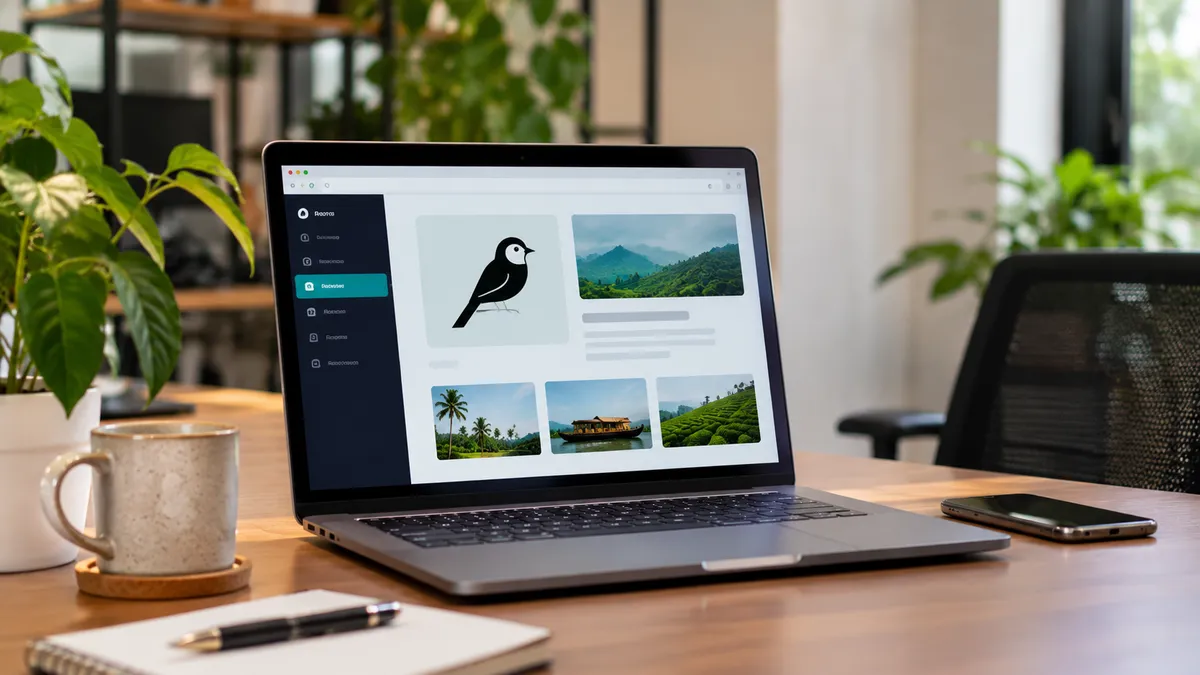
No jargon. Here is what Wagtail is, what using it feels like for your staff, and how to tell whether it suits your business better than WordPress.
If a developer has suggested Wagtail CMS for your new website, you may have nodded along and then searched for it later. That is a reasonable thing to do. Most business owners in Kerala have heard of WordPress, and some have heard of Shopify or Wix. Very few have heard of Wagtail, even though many serious organisations around the world use it.
This guide explains what Wagtail is in plain English. It covers what your team will see when they log in, what it does well, where it is weaker, and when it is the better choice over WordPress. You will not need any technical background to follow it.
By the end, you should be able to have a confident conversation with any developer about whether Wagtail suits your clinic, shop, factory, institution or startup, or whether something simpler would serve you better.
What Is Wagtail CMS, in Plain English?
A CMS, or content management system, is the software behind your website that lets you change text, images and pages without writing code. WordPress is a CMS. So is Wagtail.
Wagtail is a free, open-source CMS built on Django, a well-established web framework written in the Python programming language. It was first released in 2014 by a UK digital agency and is now maintained by a community of developers. It has no licence fee, and you are not tied to any single company to keep using it.
The simplest way to understand Wagtail is this:
- WordPress starts as a ready-made blogging system that you extend with themes and plugins.
- Wagtail starts as a clean framework that a developer shapes around your business, then hands to your team with a simple editing screen.
That difference explains almost everything else about Wagtail, including its strengths and its limits. It is less "install and go" and more "built to fit". This is why Wagtail is usually chosen for custom websites rather than quick template sites.
What Your Team Actually Sees When They Log In
Owners often worry that a "developer-friendly" system will be hard for staff to use. With Wagtail, it is usually the opposite. The admin panel is deliberately uncluttered, so the person updating your website, whether that is a receptionist, a marketing executive or you, sees only what they need.
A page tree that mirrors your website
Pages are arranged in a tree, much like folders on a computer. Your "Services" page sits above each individual service, and your "Blog" sits above each article. Staff can see at a glance where everything lives.
Content blocks instead of a blank box
Wagtail has a feature called StreamField. Instead of one big text box where anything can go wrong, editors build a page from blocks that the developer has prepared, such as a heading, a paragraph, an image with caption, a testimonial quote, a call-to-action button or a pricing table. Each block already looks right on desktop and mobile, so staff cannot accidentally break the design.
Preview, drafts and history
Editors can save drafts, preview changes before publishing and schedule a page to go live later. Every saved version is kept, so if someone makes a mistake, an earlier version can be restored.
Here is what a typical update looks like in practice:
Wagtail Features That Matter to a Business Owner
Wagtail has many technical features. These are the ones that tend to make a real difference for small and mid-sized businesses:
- Approval workflows: junior staff can draft content while a manager approves it before it goes live. Useful for clinics, schools and regulated businesses.
- Smart image handling: you upload an image once, mark its focal point, and the site crops it sensibly for different screen sizes.
- Multiple sites from one login: a group with several brands or branches can manage separate websites from one admin panel.
- Multilingual support: Wagtail can handle content in more than one language, which matters if you want English and Malayalam versions.
- Custom admin sections: beyond pages, developers can add areas for things like enquiries, branch details, product data or team members.
- Headless option: Wagtail can supply content to a mobile app or a separate front end through an API, so one source of content can feed several channels.
- Strong security foundations: it inherits Django's built-in protection against common attacks, and it does not depend on a large pile of third-party plugins.
When Wagtail CMS Beats WordPress, and When It Does Not
WordPress is a good tool, and for some businesses it is the right one. The honest question is not "which is better?" but "which is better for this website?" Here is a practical way to think about it.
| Your situation | Usually better fit | Why |
|---|---|---|
| Simple brochure site or personal blog | WordPress | Ready-made themes and plugins get you online quickly with little custom work. |
| Custom workflows, booking logic or business-specific features | Wagtail | Built on Django, so custom functionality is part of the same codebase instead of bolted-on plugins. |
| Several staff editing, with approvals needed | Wagtail | Moderation workflows and clean permissions are built in. |
| You want to manage everything yourself with plugins | WordPress | Its plugin ecosystem is far larger than Wagtail's. |
| Security and long-term stability are priorities | Wagtail | Fewer third-party add-ons means fewer moving parts to update and fewer weak points. |
| Website must connect to a CRM, app, AI tools or internal systems | Wagtail | Python and Django make integrations and data handling straightforward for developers. |
| Tight timeline and no developer support planned | WordPress | Wagtail sites are built by developers and benefit from ongoing developer support. |
In short, Wagtail wins when your website is part of how your business runs, not just a digital brochure. If you need custom pages, custom features and a clean editing experience for your team, it is often the stronger long-term choice.
Things to Understand Before You Choose Wagtail
Wagtail is not the right fit for everyone, and a good agency should tell you so. Before deciding, keep these points in mind.
Hosting is different
Many cheap shared hosting plans are designed for PHP sites like WordPress. Wagtail usually runs on a cloud server or a hosting setup that supports Python. Your developer should handle this, but it is worth asking who manages the server and backups.
What affects the cost of a Wagtail website
Because every Wagtail site is shaped around the business, the cost depends on scope rather than a fixed package. The main factors are:
- How many page types and content blocks need to be designed
- Whether you need custom features such as bookings, enquiry tracking, product catalogues or member areas
- Integrations with payment gateways, CRMs, WhatsApp, email tools or internal software
- Multilingual content and how many languages you need
- Migrating content from an existing website
- Hosting, maintenance and support after launch
Questions worth asking your developer
- Will my team be trained to use the admin panel?
- Which content blocks will we have, and can more be added later?
- Who owns the code and the hosting account?
- How are security updates and backups handled?
- Is the site structure planned for SEO from the start?
At Softverses, Wagtail is part of how we approach custom website development in Kerala: a fully custom interface, bespoke layouts that match your branding, a high-performance backend, mobile-first responsive design, SEO-friendly architecture and security-focused coding, with a custom admin panel where your business needs one. You can see the full range of what we build on our web development services page.
Closing Thoughts
Wagtail CMS is not a trend or an exotic tool. It is a mature, open-source system that pairs a clean editing screen for your staff with the flexibility of custom development underneath. If your website is simple and you want to manage everything yourself, WordPress may be enough. If your website needs to work the way your business works, with custom features, safe editing and room to grow, Wagtail is worth serious consideration. If you are comparing options and want a straight answer for your situation, our web development team in Kerala is happy to talk it through. Just get in touch with us.
Frequently Asked Questions
Wondering If Wagtail Is Right for Your Website?
Tell us how your business works, and we will give you an honest recommendation on Wagtail, WordPress or another approach for your site.
Talk to Our Team →