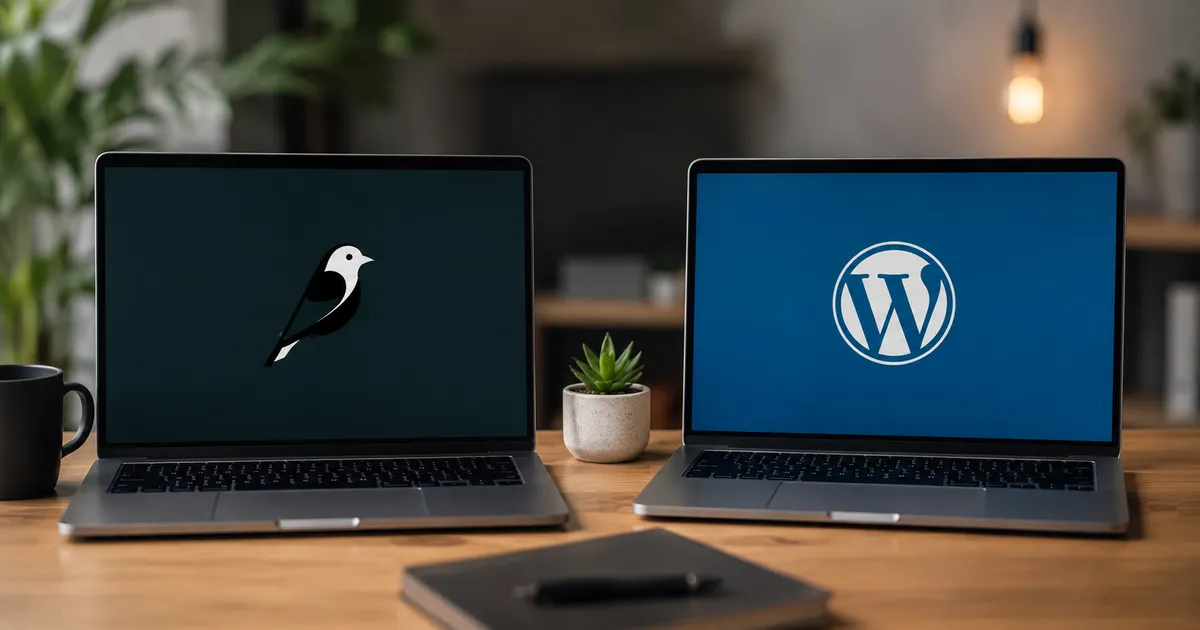
Wagtail CMS vs WordPress: Why We Build Business Websites on Wagtail
WordPress powers 43% of the internet. Wagtail powers a small but fast-growing fraction of it — including every website Softverses builds. Here is a precise, honest explanation of why, and what it means for the businesses we work with.
When a client asks us what CMS we will use to build their website, we say Wagtail. Most clients have never heard of it. They have heard of WordPress. The conversation that follows — explaining what Wagtail is, why it is better for their specific needs, and why it is not as well known as WordPress — is one we have had hundreds of times. This article is the full version of that explanation.
It is written for two audiences: business owners who want to understand the technology decisions behind their website, and developers who are evaluating CMS choices for Django projects. Both will find something directly useful here. We will cover architecture, security, performance, developer experience, content editor experience, and — critically — when WordPress is actually the right choice.
- What Wagtail is and where it comes from
- Head-to-head comparison across 10 dimensions
- Security: the most important difference almost nobody talks about
- Developer experience: building on Wagtail vs WordPress
- Content editor experience: what your team actually sees
- Performance: why Wagtail sites load faster
- Who should use Wagtail — and who should use WordPress
- Frequently asked questions
- PHP-based, 2003 origin
- 43% of all websites globally
- Plugin ecosystem of 60,000+
- Huge freelancer talent pool
- Most vulnerable CMS on the internet
- Performance limited by plugin bloat
- Python/Django-based, 2014 origin
- Used by Google, NASA, MIT, NHS
- No plugin attack surface
- Smaller but highly skilled talent pool
- Security-first by design
- Clean, fast output by default
1. What Wagtail Is and Where It Comes From
Wagtail is an open-source content management system built on top of Django — Python's most mature and widely used web framework. It was created in 2014 by a UK-based digital agency called Torchbox for a client project at the Royal College of Art, open-sourced shortly after, and has since been adopted by organisations including Google, NASA, MIT, the UK's National Health Service, Mozilla, and the US Space Force.
Unlike WordPress, which was built as a blogging tool and expanded into a CMS over time, Wagtail was designed from the start as a structured content management system for organisations with real publishing and content governance needs. This difference in origin explains almost every meaningful difference between the two platforms.
2. Head-to-Head Comparison Across 10 Dimensions
| Dimension | WordPress | Wagtail | Verdict |
|---|---|---|---|
| Security by default | ✗ Constant plugin patching required | ✓ Django's security built in, no plugin attack surface | Wagtail |
| Page speed (default) | ⚠ Plugin bloat slows most installs significantly | ✓ Lean output — only what is coded is loaded | Wagtail |
| Content editing UX | ⚠ Gutenberg is powerful but can be confusing | ✓ StreamField gives structured, guided editing | Wagtail |
| Developer experience | ⚠ PHP templating, complex plugin ecosystem | ✓ Clean Python, Django ORM, testable code | Wagtail |
| Available talent pool | ✓ Enormous — millions of WP developers globally | ⚠ Smaller but specialist — Django developers | WordPress |
| Plugin / extension ecosystem | ✓ 60,000+ plugins for almost any feature | ✗ Limited — most features are custom-built | WordPress |
| Scalability | ⚠ Struggles under high traffic without major engineering | ✓ Django scales to millions of requests — Instagram-proven | Wagtail |
| Headless / API-first | ⚠ REST API available, GraphQL via plugin | ✓ Native headless API — built for decoupled architecture | Wagtail |
| Content structuring | ⚠ Custom post types available but complex | ✓ Page models — content structure is code-defined | Wagtail |
| Setup speed | ✓ Hosting + theme = live in hours | ⚠ Requires Django server setup and deployment | WordPress |
Wagtail wins 7 of 10 dimensions on the merits. WordPress wins 3 — talent availability, plugin ecosystem, and setup speed — and these are real advantages that matter in specific contexts. The question for any given project is which set of advantages matters more for that business's specific needs and growth trajectory.
3. Security: The Most Important Difference Almost Nobody Talks About
Security is where the gap between WordPress and Wagtail is most dramatic — and most consequential. This is not a close comparison.
WordPress is the most attacked content management system on the internet, accounting for approximately 95% of all CMS-related hacks. The reason is structural: WordPress's power comes from its plugin ecosystem, but each plugin is a potential attack surface. A WordPress site with 15 plugins has 15 third-party codebases that must be patched every time a vulnerability is discovered. Miss one update, and a known vulnerability sits open until it is exploited. This is not a theoretical risk — it is the single most common reason small business websites get hacked, and we documented exactly this pattern during a comprehensive security audit we conducted across hosted client sites.
Wagtail has a fundamentally different security model. Because it runs on Django and does not use a third-party plugin ecosystem, the attack surface is dramatically smaller. Django's security model provides:
- Automatic protection against SQL injection via the ORM — parametrised queries by default
- Built-in CSRF protection on every form — cannot be accidentally disabled
- Automatic XSS prevention via template auto-escaping
- Clickjacking protection via
X-Frame-Optionsheaders out of the box - Secure session management with signed cookies
- No third-party plugin vulnerabilities — the security perimeter is entirely the framework itself
4. Developer Experience: Building on Wagtail vs WordPress
For a business owner, developer experience might seem like an internal concern. But it directly affects the quality of what gets built, how long it takes, and how maintainable the codebase is five years from now. Here is the practical difference:
Page models: content structure as code
In Wagtail, every page type is defined as a Python class — called a Page model. This means the content structure, field types, validation rules, and admin interface are all defined in code, version-controlled, and testable. Here is what a service page model looks like:
# A Wagtail page model for a services page # Content structure, validation, and admin UI all defined in one place from wagtail.modelsimport Pagefrom wagtail.fieldsimport StreamField, RichTextFieldfrom wagtail.blocksimport ( CharBlock, RichTextBlock, StructBlock, ListBlock, ImageChooserBlock )from wagtail.admin.panelsimport FieldPanel, MultiFieldPanelfrom wagtail.apiimport APIFieldclass ServicePage (Page):# Structured fields — each has a specific type and validation intro =RichTextField (blank=True ) service_icon =ImageChooserBlock () body =StreamField ([ ('heading',CharBlock (max_length=80 )), ('paragraph',RichTextBlock (features=['bold','italic','link'])), ('feature_list',ListBlock (StructBlock ([ ('title',CharBlock ()), ('description',RichTextBlock ()), ]))), ], use_json_field=True )# SEO fields meta_title =CharField (max_length=60 , blank=True ) meta_desc =CharField (max_length=160 , blank=True )# Django admin panels — auto-generated from field definitions content_panels = Page.content_panels + [FieldPanel ('intro'),FieldPanel ('body'),MultiFieldPanel ([FieldPanel ('meta_title'),FieldPanel ('meta_desc'), ], heading='SEO Settings'), ]# Headless API fields — expose this page as JSON automatically api_fields = [APIField ('intro'),APIField ('body'),APIField ('meta_title'), ]
Compare this to WordPress, where content structure is typically defined through a combination of post types registered in PHP, custom fields added via ACF or similar plugins, and Gutenberg blocks configured through a separate JavaScript layer. The result is a codebase split across multiple systems, hard to version control cleanly, and difficult for a new developer to understand without significant onboarding time.
StreamField: the most powerful content editing model available
Wagtail's StreamField is one of its most significant technical innovations. It allows page content to be built from an ordered mix of content blocks — text, images, feature lists, video embeds, quote blocks, custom components — in any combination, without requiring developers to anticipate every possible layout in advance. Editors can assemble complex page layouts through a clean interface without touching HTML or CSS. This is structurally cleaner than WordPress's Gutenberg editor because each block type is explicitly defined in Python with its own validation and rendering logic, rather than being a JSON blob stored in a post's content field.
5. Content Editor Experience: What Your Team Actually Sees
A CMS is only as good as the experience it gives to the people using it every day — typically non-technical marketing or content team members. This is an area where Wagtail has invested heavily and where the difference from WordPress is most immediately visible to non-developers.
Wagtail's admin interface
Wagtail ships with a clean, modern, purpose-built admin interface. The page tree gives editors a clear visual hierarchy of the entire site structure. Each page type presents exactly the fields relevant to that content type — no cluttered sidebar full of widgets, no confusing mixture of classic editor and Gutenberg block approaches. Editors cannot accidentally break a page's structure because the fields available to them are exactly what the developer defined in the page model.
"The page only shows me the fields I actually need."
"I can't accidentally delete something that breaks the layout."
"Scheduling and preview actually work the way I expect."
These are near-verbatim comments from clients who used WordPress before. The cleaner information architecture reduces training time and editing errors significantly.
Image management
Wagtail's image handling is significantly more sophisticated than WordPress's media library. Images are stored with their original file, and renditions (resized versions) are generated on demand and cached — meaning a developer can request any image size in a template without the editor needing to upload multiple versions. Every image uploaded through Wagtail is automatically given a focal point selector, allowing editors to mark the most important part of an image so that it is preserved correctly when the image is cropped for different display contexts (mobile hero, thumbnail, social card, etc.).
6. Performance: Why Wagtail Sites Load Faster
Performance differences between Wagtail and WordPress are not incidental — they are architectural. Here is why Wagtail sites consistently outperform WordPress sites on Core Web Vitals:
| Performance factor | WordPress | Wagtail |
|---|---|---|
| CSS loaded per page | High — theme CSS + every active plugin's stylesheet | Only what is coded — no plugin stylesheets |
| JavaScript loaded per page | High — jQuery, page builder scripts, plugin scripts | Minimal — only explicitly included scripts |
| Database queries per page load | High — each plugin may run its own queries | Low and controlled — Django ORM with select_related |
| Server response time (TTFB) | Varies — PHP processing + plugin overhead | Fast — Gunicorn/Nginx, Python async support in Django 5 |
| Page caching | Plugin-dependent — WP Super Cache, W3 Total Cache etc. | Native — Django's cache framework with Redis |
| Image delivery | Plugin-dependent — Smush, ShortPixel, etc. | Built-in — responsive renditions, focal cropping, WebP output |
| Typical mobile PageSpeed score | 45 – 65 (with page builder and standard plugins) | 82 – 95 (our typical client results) |
The performance gap is particularly pronounced when comparing a Wagtail site to a WordPress site running a page builder like Elementor or Divi — a setup that is extremely common among Kerala web development agencies offering low-cost website packages. The plugin-plus-page-builder combination is the single most performance-damaging configuration in common use, and it is the direct competitor to what Softverses builds.
7. Who Should Use Wagtail — and Who Should Use WordPress
- You need to be live in days and your developer is WordPress-only
- You are building a blog or simple brochure site with a very tight budget
- You need a very specific commercial plugin that has no custom equivalent
- Your content team already knows WordPress and retraining is not viable
- You are building a site you will hand off to a non-technical client who will maintain it entirely alone
- Security is a genuine concern — healthcare, finance, legal, data-sensitive industries
- You need a CMS that integrates natively with a Django backend or REST API
- Performance and Core Web Vitals scores are important for SEO
- You have a content team that publishes regularly and needs a structured, reliable workflow
- You are building for the long term and want a maintainable, testable codebase
- You need headless CMS capability to serve a mobile app, Next.js frontend, or multiple channels simultaneously
- You are an e-commerce business needing tight integration between content management and order/product data
For the vast majority of businesses we work with — Kerala SMEs, education platforms, healthcare providers, e-commerce brands, professional service firms — Wagtail is the correct choice. The only cases where we recommend WordPress are those where the client has a very specific plugin dependency, an extremely constrained timeline, or an existing WordPress-specialist in-house team that will own ongoing development.
"WordPress is the right tool for the most common use case. Wagtail is the right tool for businesses that have outgrown the most common use case — or who never wanted to be limited by it."
Want a website built on Wagtail and Django — not WordPress?
Every Softverses website is custom-built on Wagtail CMS with a Django backend. Clean, fast, secure, and fully owned by you. Based in Thrissur, Kerala.
Start a Conversation →Frequently Asked Questions
Why We Build on Wagtail — The Short Version
We use Wagtail because it aligns with every principle we hold about how a business website should be built: clean code, tight security, fast performance, structured content, and a codebase that is maintainable five years from now without a complete rewrite. WordPress is a remarkable piece of software that powers much of the internet — but for the businesses we work with, its plugin-dependent architecture creates unnecessary security risk, performance overhead, and technical debt that accumulates over time.
Wagtail is not the right choice for every project. But for a business that wants a fast, secure, professionally built website with a CMS that genuinely makes content management easier — not just more feature-rich — it is consistently the right choice. Every website and e-commerce platform we build at Softverses is on Wagtail and Django, and you can see the results in our project portfolio.
If you are evaluating CMS options for an upcoming project, or if you are currently running on WordPress and wondering whether it is limiting your website's potential, our team is happy to have an honest conversation about what the right stack is for your specific situation. Get in touch — no sales pressure, just a straightforward technical discussion.
Built on Django. Managed on Wagtail. Owned by you.
Custom websites and e-commerce platforms on the most secure, scalable CMS stack available. Based in Thrissur, Kerala — 70+ projects delivered.
Talk to Our Team →